

You’re scrolling through an old chat export when a strange tag interrupts the conversation: <<audiodisplayed>>. It isn’t a word you recognize, and there’s no sound attached to it.
That moment of confusion is what sends people searching for the audiodisplayed meaning.
In most cases it’s a label showing that an audio item, often a voice message, was present at that spot. It does not mean anyone pressed play, let alone listened.
This guide breaks down where the label shows up, what it can and can’t tell you, and how to work out its meaning in your own situation without guesswork.
Along the way, you’ll also see how it differs from played, seen, and audio description.
Quick answer:
Audiodisplayed usually points to an audio item that was shown or represented at a specific spot in an app, transcript, or exported chat. It isn’t a standard English word. In most cases it works as a system-generated label, and the most commonly reported example is <<audiodisplayed>> standing in for a voice message inside a text export.
The detail that trips people up is what the label doesn’t say. Showing an audio element and playing it are two separate events, so audiodisplayed on its own never proves that someone listened.
The exact audiodisplayed meaning shifts a little depending on where you spot it:
| Where you see it | What it usually means |
|---|---|
| Exported chat or transcript | A placeholder marking where a voice message sat |
| Notification preview | A text label for an audio item |
| App logs, code, or analytics | A status or event name chosen by developers |
| Accessibility menu | Sometimes discussed alongside audio description, though wording varies by device |
What Is Audiodisplayed?
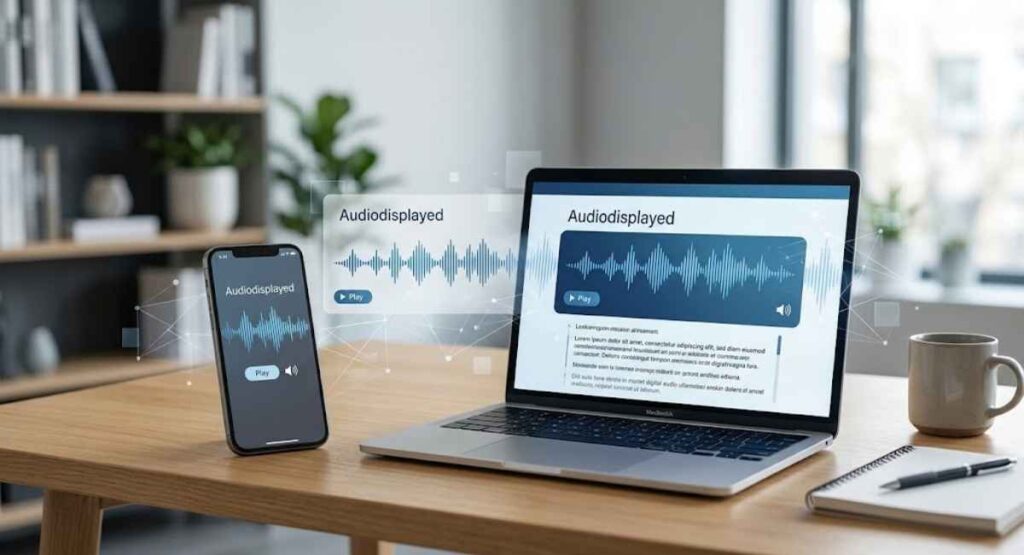
Audiodisplayed is a joined-up spelling of “audio displayed.” You won’t find it in a dictionary, which is why it looks odd the first time it turns up.
In practice it works as a label, a short piece of text saying an audio item was shown or represented at that spot.
Audiodisplayed Meaning in Simple Terms
Split the word in two. “Audio” is sound, whether a voice note, a song, or a recording, and “displayed” means shown or presented.
Put together, the audiodisplayed meaning is “an audio item was shown or represented here.” It says nothing about whether anyone heard it.
What Does Audiodisplayed Mean in Text?
Plain text can’t carry a recording. Something has to hold the audio’s place, and audiodisplayed is one of the markers that can do it.

It tells the reader that an audio item existed at that point in the conversation.
<<audiodisplayed>> as a Placeholder
The double angle brackets suggest the label was generated by software rather than typed by a person. The marker holds the position of the audio, not the audio itself.
| What you see | What it usually stands for |
|---|---|
<<audiodisplayed>> | A software-generated marker for an audio item, often a voice message |
| “audio displayed” inside a sentence | Ordinary English written by a person |
What Does Audiodisplayed Mean in a Transcript?
A transcript turns spoken or recorded content into written text. When an audio clip appears inside one, the transcript may flag the clip instead of writing out its words.
Priya: Sending the directions now.
<<audiodisplayed>>
Dan: Got it, thanks!
Why Does Audiodisplayed Appear in a Transcript?

The tool that built the transcript met an audio item it couldn’t turn into words. Rather than leave a gap, it dropped in a marker to keep the conversation in order.
Typical reasons include:
- The export left media out.
- The tool doesn’t transcribe voice notes automatically.
- The text format has no way to hold sound.
Audiodisplayed Meaning in WhatsApp
WhatsApp is the setting people mention most when they ask about this label. Voice notes are everywhere in those chats, so they leave a visible gap once a conversation is saved as text.
Audiodisplayed Meaning in Exported WhatsApp Chats
WhatsApp lets you export a chat with or without media. The result is a text file, and a voice message can’t live inside plain text.

In some exports, <<audiodisplayed>> reportedly takes the voice message’s place. The original recording typically stays in the chat inside the app.
Why Am I Seeing Audiodisplayed in a Chat Export?
Usually it comes down to one of these:
- The chat was exported without media, so voice notes were swapped for text markers.
- A transcription or conversion tool processed the file and may have added its own marker.
- The text was copied or converted, and the audio wasn’t carried over.
If the label sits in an old backup, open the original chat in the app to find the voice message itself.
Does Audiodisplayed Mean the Audio Was Played?
No. Displayed means the audio item was shown or represented. Played means the sound actually started.
A voice message can sit on a screen for days without anyone tapping it. The label only records that it was there.

Does Audiodisplayed Mean Someone Listened?
Not on its own. Listening requires a playback event, and this label doesn’t record one. Apps that track playback tend to log each stage as a separate event:
| Signal | What it suggests |
|---|---|
| Audiodisplayed | The audio item was shown or represented |
| Audio loaded | The file was fetched by the app |
| Audio started | Playback began |
| Audio completed | Playback reached the end |
Audiodisplayed vs Played
Displayed is about presence, played is about sound. One describes what the screen shows, the other describes what actually happened to the audio.
| Audiodisplayed | Played | |
|---|---|---|
| What it records | An audio item was shown or represented | Playback actually happened |
| Needs a play action | No | Yes |
| Can appear in a text export | Yes, as a marker | Only if the app logs it |
Audiodisplayed vs Seen
“Seen” generally points to a message being opened or viewed. It tells you something about the person on the other end.
Audiodisplayed does a different job. It describes an audio item, not whether anyone looked at the conversation.
Audiodisplayed vs Voice Message
A voice message is the recording itself. Audiodisplayed is, at most, a stand-in for it.
| Voice message | Audiodisplayed | |
|---|---|---|
| Contains recorded sound | Yes | No |
| Can be played | Yes | Not from the text marker |
| Carries the spoken words | Yes | No |
| Where it lives | Inside a chat or app | Inside a transcript, export, or log |
Audiodisplayed vs Audio Description
Some sources connect the term to audio description, but the two are not the same thing. One is a label, the other is a narration feature.
| Audiodisplayed | Audio description | |
|---|---|---|
| Type | Label or marker | Accessibility feature |
| Contains speech | No | Yes, spoken narration |
| Typical setting | Transcripts, exports, logs | Video and media playback |
What Is Audio Description?
Audio description is an extra narration track that explains what is happening on screen, such as actions, locations, and facial expressions. It helps people who can’t fully follow the visuals. You may also see it called descriptive audio.
How Audio Description Works
Narrators slot short descriptions into natural pauses in the dialogue. The narration plays alongside the original soundtrack, so the story stays intact.
On supported titles, you pick it from the audio or language menu.
Audiodisplayed Meaning in Accessibility Settings
If the word turns up in an accessibility menu, look at the nearby audio options. The audiodisplayed meaning there may relate to descriptive audio, but the exact wording depends on the device or service.
Why Does Audio Description Turn On?
Usually a setting told it to. Audio description is an option that stays on until someone switches it off.
Common triggers include:
- A device-level accessibility setting is enabled.
- A streaming profile remembered an earlier audio choice.
- An accessibility shortcut was pressed by accident.
- Someone else with access to the profile changed the audio track.
- A software update reset saved preferences.
How to Turn Off Audio Description
Exact menus vary, but the path is similar almost everywhere:
- Open the player’s audio or language menu, or the device’s Accessibility settings.
- Look for Audio Description, Descriptive Audio, or Narration.
- Switch it off, or pick the standard audio track.
- Restart the video if the narration keeps playing.
How to Turn On Audio Description
Follow the same path, then choose the descriptive option instead. Availability depends on the title, language, and service, so not every video offers it.
Audiodisplayed Meaning on a Media Player
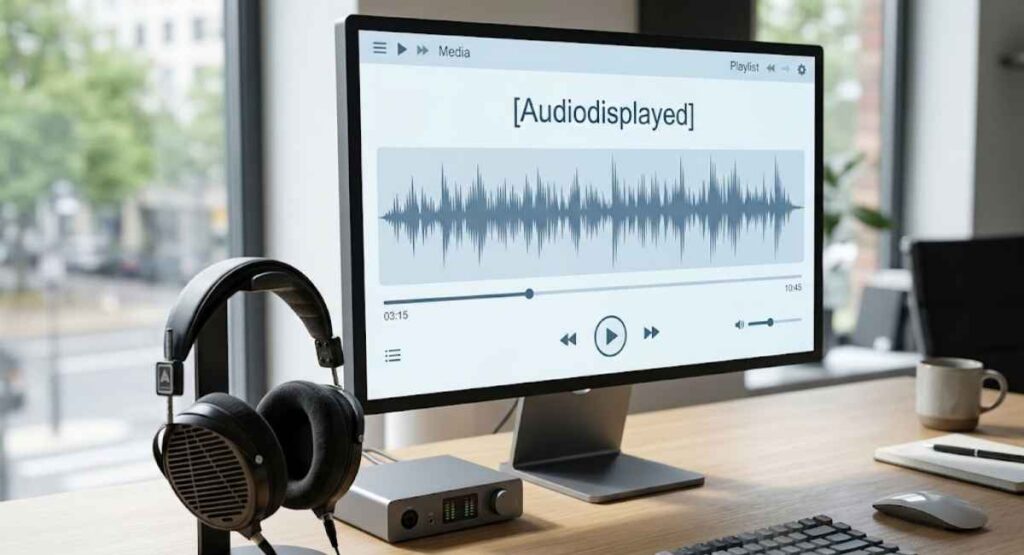
A media player usually shows a title, an artist, a duration, and playback controls. If the label appears around one, it most likely reflects the interface drawing the player.
The audiodisplayed meaning here stays separate from audio playback. Seeing the player on screen doesn’t mean the track has started.
Where Can You See Audiodisplayed and What Does It Mean There?
The label turns up in a handful of places, and its meaning shifts slightly in each.
| Where | Likely meaning |
|---|---|
| Exported chat | Placeholder for a voice message |
| App or interface | Internal status for an audio element |
| Logs or code | Event, flag, or variable name |
| Notification preview | Text stand-in for an audio item |
| Accessibility menu | Possibly tied to descriptive audio |
Audiodisplayed in Apps and Digital Interfaces
An app may track whether an audio element was drawn on screen and store that as a status. Most users never see it.
It tends to leak out through copied text, exports, or debug views.
Audiodisplayed in Technical Logs or Code
Developers often name flags and events by joining words, which gives forms like audioDisplayed or audio_displayed. It isn’t a standard browser media event for the HTML audio element, where events are things like play, pause, and ended.
In code, then, it is a custom identifier defined by whoever wrote it. A hypothetical log line, for illustration only:
{ "event": "audioDisplayed", "audioLoaded": true, "audioStarted": false }
Audiodisplayed in Notifications and Media Controls
A notification preview can’t always play a voice message inline, so a text label may appear in its place. Media controls work differently, since they show real buttons that trigger audio playback.
Does Audiodisplayed Mean the Audio Is Still Available?
Not necessarily. The label says an audio item was there at some point, but whether the file still exists depends on where it was stored.
Check the original source before assuming the recording is gone.
Does the Placeholder Contain the Original Audio?
No. It is plain text, so it marks the spot without carrying any sound data or spoken words.
Can You Play Audio From an Audiodisplayed Label?
No. Tapping or clicking plain text won’t start anything. To hear the message, you need the original file or the source chat.
What to Check When the Audio Is Missing
- The original chat in the app that sent it
- The exported folder or zip file, if media was included
- Cloud backups and device storage
- Whether the file was deleted or never downloaded to this device
- Whether the export was created without media
Is Audiodisplayed a Slang Word?
No, it isn’t established slang. Slang carries a speaker’s tone or attitude, while this label describes something a system did.
It also rarely starts with a person typing it, which is another way it differs from texting shorthand.
Is Audiodisplayed an Abbreviation?
No. It isn’t an initialism like LOL or BRB, where each letter stands for a word. It is simply two full words fused together.
Why Does Audiodisplayed Look Like One Word?
Software loves compact labels. Names for events, fields, and files are often built by joining words, and exports or copy-and-paste can strip the spaces without anyone noticing.
The same idea shows up in several spellings:
- audio displayed
- audiodisplayed
- audioDisplayed
- audio_displayed
- audio-displayed
Is Audiodisplayed an Error?
Usually not. In an export or transcript, it is normally a deliberate placeholder rather than a fault message. A real problem exists only when you expected the audio file itself and can’t find it.
How to Interpret Technical Audio Labels
Read them as short status notes about what happened to an audio item. The names below are illustrative, since every project defines its own.
| Label | Reads as |
|---|---|
| audioDisplayed | The audio item was shown or represented |
| audioLoaded | The file was fetched and is ready |
| audioStarted | Playback began |
| audioCompleted | Playback reached the end |
Can Audiodisplayed Be Transcribed?
The label can’t, because it holds no speech. The original audio file can be transcribed, by a person or by transcription software, as long as you still have it.
Original audio → transcription → written words
<<audiodisplayed>> → placeholder only
Does an Audio Placeholder Contain the Recording?
No. It works like a bookmark, showing where the audio sat without holding any of it.
Can I Remove Audiodisplayed From a Transcript?
Yes. It is plain text, so you can delete it from your own copy without affecting anything else.
Check first, though. Removing the label doesn’t touch the original recording, and it erases your only clue that a voice message once sat there.
Audiodisplayed Meaning in Social Media
No widely established social-media slang definition exists for this term. The audiodisplayed meaning on these platforms most often traces back to copied chats, transcripts, or system output rather than shorthand people type to each other.
Each platform words things differently, so it helps to treat them one at a time.
Audiodisplayed Facebook
It is unlikely to be a native Facebook feature name. If it appears in copied Messenger text or a transcript, read it as an audio placeholder.
Audiodisplayed Instagram
In copied or processed DM content, it more likely marks a voice message than something the sender typed. Check the original conversation to confirm.
Audiodisplayed TikTok
Around TikTok, it may surface in captions, transcripts, or audio-related data pulled from a video. It isn’t a recognized TikTok abbreviation.
Audiodisplayed Discord
Servers often include bots, logs, and integrations, so a machine-generated status can land in the middle of normal chat. Fields like an audio flag look odd next to everyday messages but are usually harmless output.
Does Audiodisplayed Have an Emotional Meaning?
No. The audiodisplayed meaning is informational. It doesn’t express approval, annoyance, or interest, so any feeling has to come from the conversation around it.
A voice note might be joyful or upsetting, but the label itself stays neutral.
Is Audiodisplayed Safe for Work?
Yes. It carries no offensive or explicit meaning and works as a neutral technical term.
The audio it points to is a separate matter, since a voice message can contain anything.
Common Misunderstandings About Audiodisplayed
Most confusion about the audiodisplayed meaning comes from reading the label as a statement about people. It is really a statement about an audio item.
“Audiodisplayed Means Someone Listened”
It doesn’t. The label describes audio being shown or represented, and listening requires playback.
“Audiodisplayed Means the Audio Was Played”
Display and playback are separate events. A voice note can be fully visible and completely untouched.
“Audiodisplayed Is Internet Slang”
It reads more like a system label than a phrase people send each other. Slang expresses attitude, and this doesn’t.
“Audiodisplayed Always Means Audio Description”
The link exists in some accessibility contexts. In a chat export or a log, it points somewhere else entirely.
“The Placeholder Is the Original Audio”
The placeholder is text. The recording lives elsewhere, if it still exists.
How to Find the Correct Audiodisplayed Meaning
Context beats guesswork. Four quick checks usually settle the audiodisplayed meaning in any given case.
Check Where the Term Appears
Is it in a chat export, a transcript, a settings menu, a media player, or a log? The location narrows the meaning faster than anything else.
Check the Words Around It
Timestamps and sender names suggest a conversation. Terms like event, status, or field suggest a technical record.
Check the Original Audio or Message
Look for the voice message in the source chat or a media folder. If it exists, the label was standing in for something real.
Check the Original Interface
Open the app or service the content came from and compare what you see. Platform documentation, where it exists, settles what a label means there.
How to Respond If Someone Sends “Audiodisplayed”
If a person typed it themselves, they are probably quoting something they saw. The audiodisplayed meaning is easiest to confirm by asking.
- “Where did that come from?”
- “Was that a voice note you meant?”
- “Are you asking if I heard it?”
Frequently Asked Questions
What Is the Audiodisplayed Meaning in Simple Words?
It means an audio item was shown or represented at that point. Usually it is a system label, such as a placeholder for a voice message in an export.
Is Audiodisplayed a Real Word?
Not in standard English dictionaries. It is “audio displayed” fused into one word, mostly by software.
Does Audiodisplayed Mean Someone Listened to My Voice Message?
No. The label doesn’t record playback, so it can’t confirm that anyone listened.
Why Is Audiodisplayed Showing in My WhatsApp Chat Export?
It is most likely a placeholder for a voice message that the text export couldn’t include. The original usually remains in the chat inside the app.
Can I Get the Voice Message Back From the Label?
No, because the label is only text. Look in the original chat, an exported media folder, or a backup.
Is Audiodisplayed Related to Audio Description?
Sometimes the two are mentioned together in accessibility menus. They are still different things: one is a label, the other is a narration feature.
Is Audiodisplayed a Programming Function?
Not a standard one. If you see it in code, it is most likely a custom identifier, event name, or variable defined by that project’s developers.
Final Takeaway
Audiodisplayed is best read as a label, not a message. The audiodisplayed meaning centers on an audio item being shown or represented at a certain point, and on its own it says little beyond that.
Here are the key points to keep in mind:
- It’s usually a placeholder for a voice message in an exported chat or transcript.
- It can also be a technical status, event name, or variable in software.
- In accessibility menus, it is sometimes linked to audio description, which is a separate narration feature.
- It never proves that anyone played or heard the audio.
- The label is plain text, so it holds no recording and can’t be played.
If the meaning still feels unclear, check where the term appeared, look for the original audio, and compare it with the source app. Context settles what the word alone can’t, and once you know the source, the mystery mostly disappears.

AtlasWorth Editorial publishes well-researched content on celebrity net worth, biographies, entrepreneurs, and business leaders. Our articles are based on publicly available information from reliable sources and are regularly reviewed for accuracy and relevance.